Get in Touch with Guanma

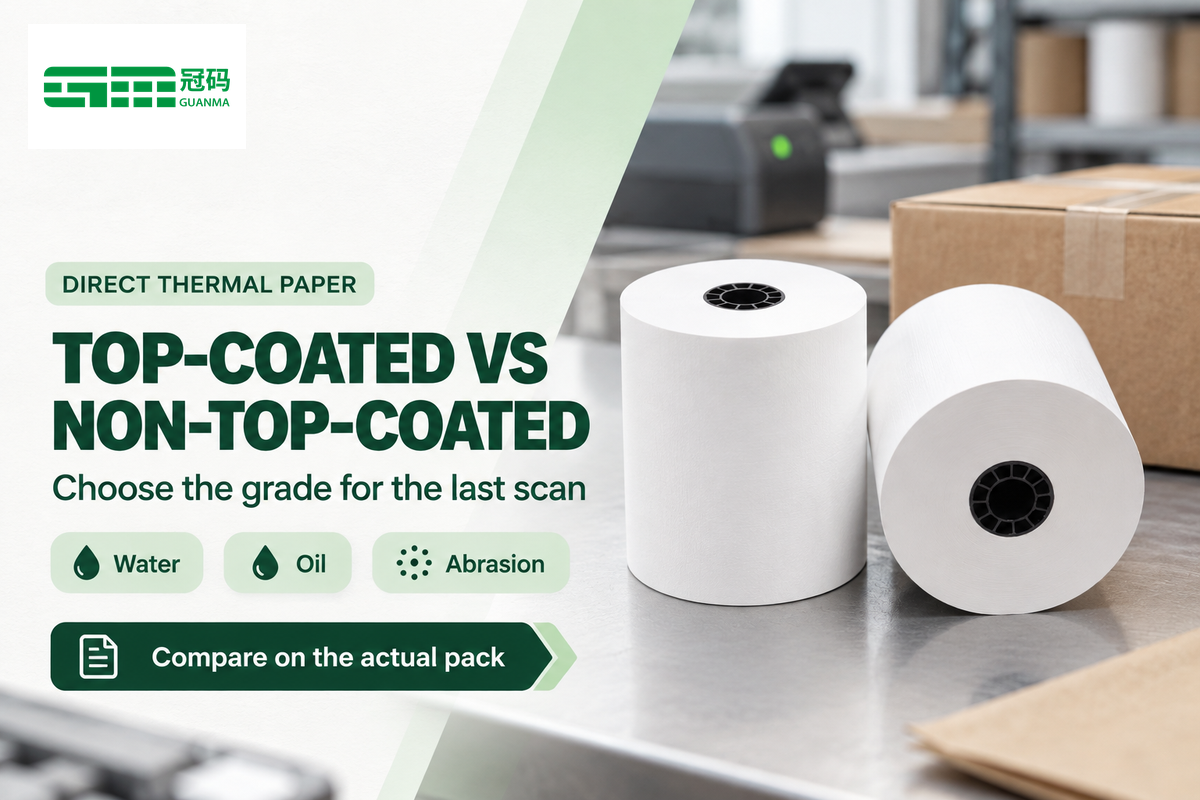
Use non-top-coated direct thermal paper for short, dry routes. Start with a top-coated grade if the printed face will be damp, oily or scuffed. A label can read at the packing bench and fail later at the dock, so both candidates must pass through the last required scan.
When comparing top-coated and non-top-coated thermal labels, start with non-top-coated paper for dry, short routes and trial a top-coated grade for routes involving moisture or rubbing before the last required scan. The extra layer protects the image. Test how well the barcode reads and how firmly the label stays attached as separate results after exposure.
What to specify
- Stock Construction: direct thermal paper with or without a protective top-coat.
- Exposure: the exact liquid or contact surface, duration, temperature and sequencing.
- Acceptance: a readable code at the last checkpoint and a label that stays affixed to the pack.
What Changes When a Thermal Label Has a Topcoat?
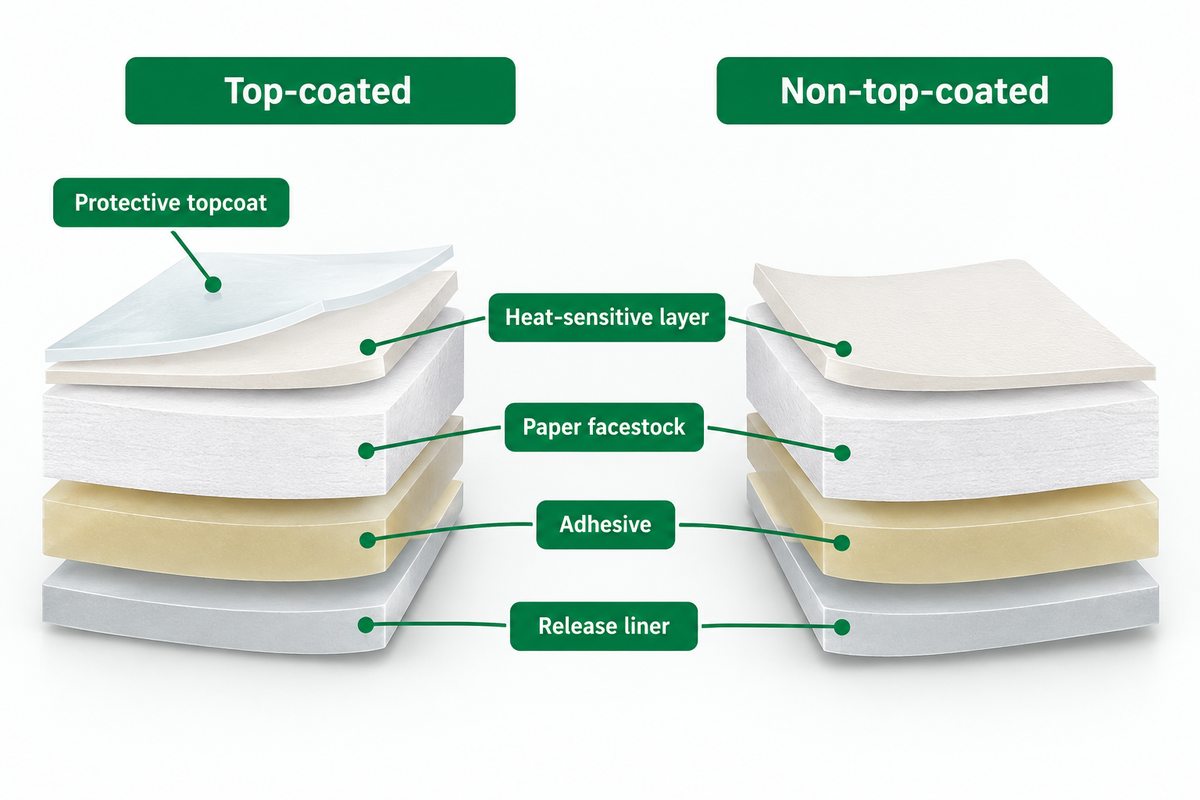
A top-coated thermal label adds a protective layer over the coating that generates the image. A non-top-coated label has a heat-sensitive coating that’s essential for direct thermal printing. Both grades print without ink, toner or a printer ribbon. The face protection is a separate choice from the adhesive that bonds the label to the package.
Read the stack from the exposed face down. The optional protective top-coat covers the heat-sensitive image layer. The paper facestock carries those layers. Pressure-sensitive adhesive is on the back of the face paper and the release liner is removed at the time of application. The diagram in a published U.S. thermal recording application shows where the optional top-coat is with respect to the thermally responsive layer.
Direct thermal printing uses heat to create an image on the printable face. The thermal print head darkens selected spots in the thermal coating. At a packing station, this on-demand printing process allows the operator to make individual shipping labels as cartons move through the line. A grade can be sold as uncoated direct thermal paper because the supplier uses “uncoated” to describe the absence of a protective topcoat. Ask for the stock code and the topcoat field together. For more on the construction of base paper and imaging layers, see the guide to thermal paper construction.
Do Thermal Printers Need Special Paper?
Yes. A direct thermal printer requires heat-sensitive label materials rated for that printer. Two rolls can be of the same width and core. Check the printing method, media specifications and sensor compatibility before loading either one. Check the print quality and feed on the actual machine.
A receipt and a direct thermal label can both darken when exposed to heat. For the liner-backed pressure-sensitive stock covered here, specify the adhesive and release liner as well. A quick scratch test can show whether the printable face reacts. Some top coats make the mark harder to see. For a more useful starting point for qualification, look for a roll code and a clean print run.
Which Grade Fits the Exposure Before the Last Scan?
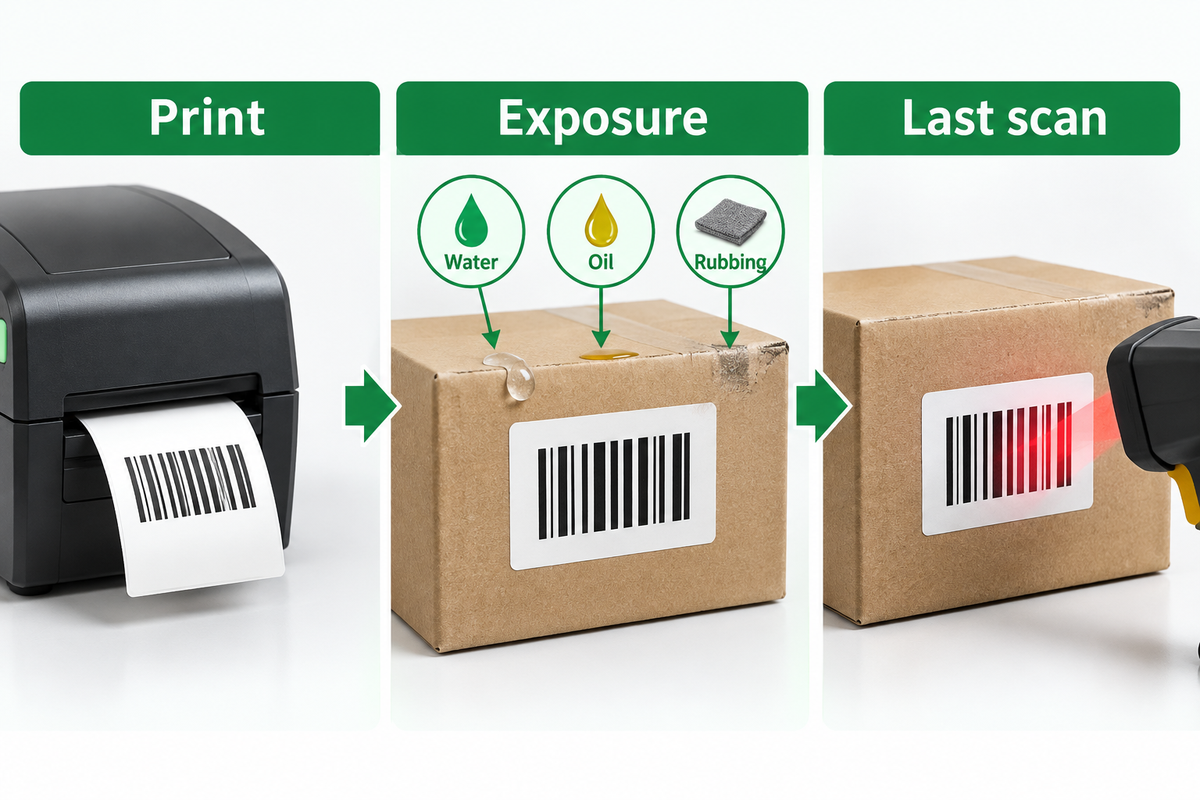
A top coated grade is usually the better first candidate when the print will face condensation, grease, or repeated rubbing. For dry cartons on short routes, sample non-top coated stock first. Screen candidates by the specific exposure the supplier describes, then reproduce the contact on the actual package before ordering.
Walk the route from label printing to the last spot requiring the code. Temporary labels that stop at an indoor sorting station and labels scanned at the customer dock have different durability requirements. The staging rack, stretch wrap or tote may touch the face after a clean print inspection. For a chilled carton, document when condensation occurs and whether the operator scans the label when the surface is still wet. For oil, determine if the oil is on the print or is already on the application surface.
| Route condition | First candidate or check | What to reproduce |
|---|---|---|
| Dry carton to the dispatch scan | Try non-top-coated paper first. | Run the actual carton through stacking and the dispatch reader. |
| Dry but rubbed in a tote | Try a grade with an abrasion-resistant face. | Repeat the observed rub against the tote or next carton before scanning. |
| One cold-to-warm handoff | Try a top-coated paper grade for the condensation event. | Scan while damp and at the last checkpoint. Inspect each edge. |
| Repeated wetting on the same route | Add a compatible synthetic direct thermal candidate. | Compare print, paper strength and the adhesive after the final wet cycle. |
| Water droplets on the printed face | Ask for the water-contact method for the exact grade. | Use the actual contact time and scan after the same drying interval. |
| Oil splashes on the printed face | Ask for performance against the actual oil. | Compare exposed and dry controls for fading, darkening and first-pass reads. |
| Oil on the carton before application | Qualify adhesive and surface preparation. | Record carton condition and adhesion separately from the print-face test. |
| Rubbing while damp | Run a combined exposure on both candidates. | Repeat the wetting and rubbing in the same order as the handling route. |
| Clean faces read in the office but fail at the dock | Keep the stock in the test and reproduce the dock scan. | Use the actual reader, presentation angle and line speed. |
For cartons that move from a cold room to a warmer dock, set aside an unexposed control, and keep the wet handling sequence on the test carton intact. A drip on a label is different from a drip followed by rubbing against another carton. When the package is oily before application, follow the separate procedure for “qualifying labels for oily surfaces”.
Read the Grade Sheet for Water, Oil and Rub Resistance
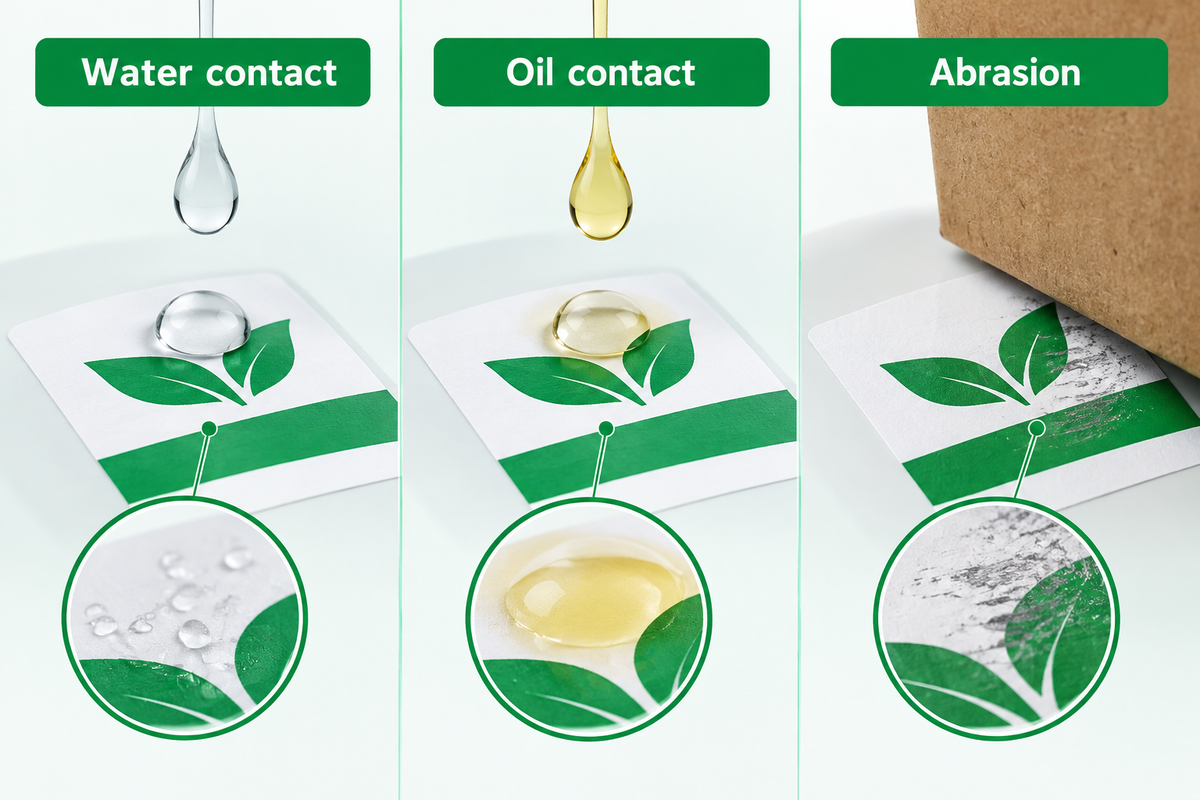
Examine a grade sheet by contact medium, duration, and result measured. A statement about abrasion tells you how the supplier describes rubbing on the face. A water contact entry may state the conditions under which the label face was tested or call for a test in your application. If the label must withstand both, include both conditions in the test.
Judge resistance by exposure method and a defined failure criterion. Zebra’s Z-Perform 1000D specification lists water as a test-in-application exposure for the uncoated construction and marks grease as not recommended. Treat these as guidelines for the described liquid, and not a rating for all liquids. The face may appear clean after the wipe. However, the code may have reduced contrast. A loose-paper test describes the stock’s behavior under that test. For the applied label, judge the adhesive and the packaging. Record edge lift and physical damage, even if the scanner is able to read the code.
| What the sheet describes | What to put in your trial |
|---|---|
| Brief water contact | The same time wet, drying interval and last scan time. |
| Oil or grease | The actual medium and contact area on the printed face. |
| Abrasion | The counter-surface, the order of wetting and rubbing, and the post-rub scan. |
| Temperature | The temperature during application and the later exposure condition. |
| Overall thickness or grammage | The requested construction, with facestock weight kept distinct from liner and adhesive. |
Let’s start with the most common failure on your route. If the paper is still sound but the bars have faded, consider face protection and thermal printing settings. If the edges lift while the code remains clear, keep the print finding and test the bond on the same surface.
Run a Matched Roll Trial on the Actual Pack
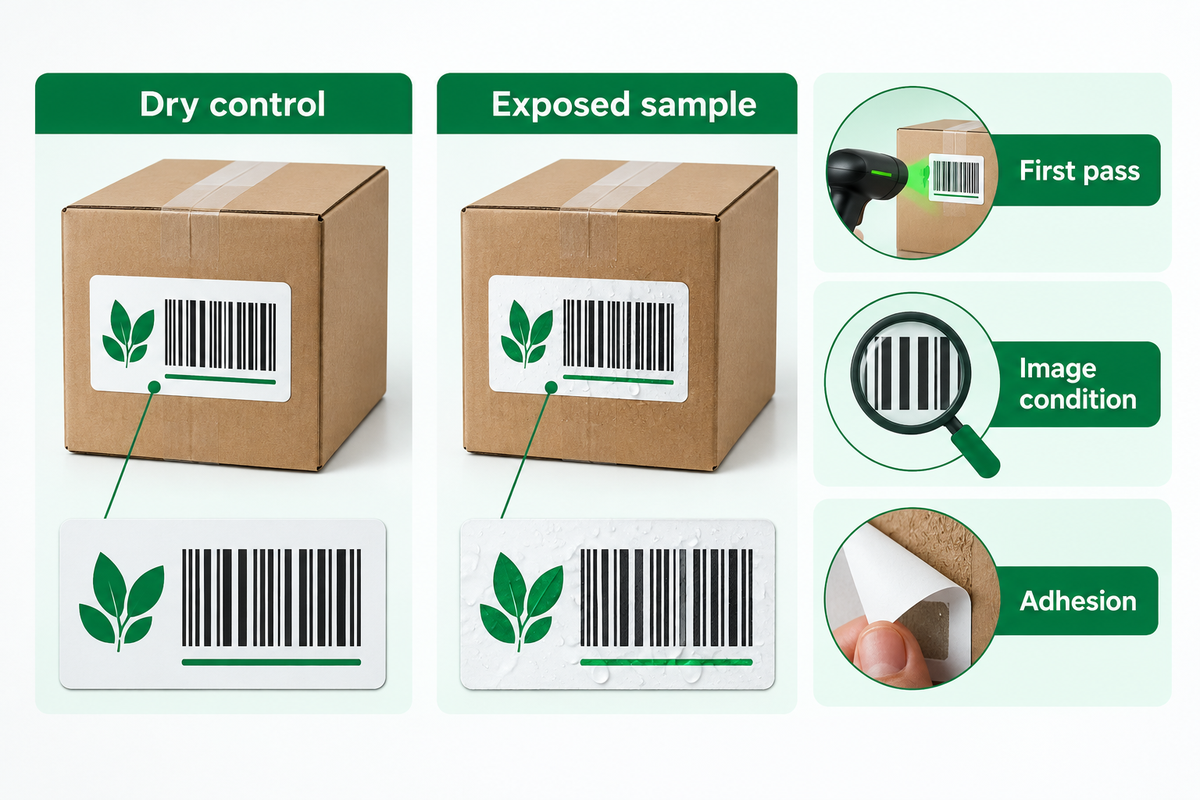
Print the same barcode job on both candidate rolls. Apply the labels to the same packaging. Expose a subset of each roll to the same environment. Keep a dry control from each roll. Record first-pass scans, image condition and edge lift separately.
What Settings Are Needed to Print Thermal Labels?
At production speed, use the same label printer, code size and layout for both grades. Record the print resolution in dpi for printing barcodes. Check for a clear print from each setup before conditioning. Set a supported darkness to produce a clean baseline. Record the grade’s setting and keep it fixed for the remainder of the test. Compare exposed and dry labels for each roll.
Use the scanner that must read the pack at the final checkpoint. A print shop can supply an initial specimen, and the packing line can show how those bar codes read in motion. Count distinct labels and record the lot, test conditions and exceptions. The second try should be recorded in the exception report without creating another sample. If the results are close, repeat the comparison across representative lots. Use the NIST guidance on proportions to interpret rates from a small sample or a run with few failures.
| Record | Fields | How to use it |
|---|---|---|
| Stock identity | Grade code, supplier lot, adhesive and liner. | Keep each construction identifiable on the sample sheet. |
| Roll geometry | Width, core and wind direction. | Use the production feed path and sensor settings. |
| Printer baseline | Printer, speed, darkness and barcode file. | Retain a baseline specimen from each stock. |
| Real package | Substrate, surface condition and application temperature. | Use the carton or tote the label will actually touch. |
| Dwell | Time from application to handling or exposure. | Allow the same realistic dwell for matched samples. |
| Exposure | Medium, contact time, temperature and sequence. | Keep water, oil and rub conditions identifiable. |
| First pass | Successful first reads and distinct labels tested. | Record the scanner and checkpoint. Log rescans separately. |
| Image condition | Fading, background darkening, scuffing or torn bars. | Keep photos in consistent lighting. |
| Adhesion | Edge lift, movement or loss of attachment. | Record the bond separately from scan results. |
| Release scope | Lots tested and agreed scan and bond criteria. | If a result is close, repeat across representative lots before release. |
“A compliant verifier will measure different parameters of the symbol and then provide an overall grade.”
Formal verification is a separate check when the order requires a symbol grade. ISO/IEC 15416:2025 covers linear barcode print quality. ISO/IEC 15415:2024 covers two-dimensional symbols. Agree the required grade and method with the customer, then record both the verifier result and the operational first-pass result where applicable.
When the trial is complete, keep the test record, roll label, print settings and approved roll reference for incoming label stock inspection. State which lot and grade were approved before giving Purchasing the release decision.
When Should You Switch Away From Direct Thermal Paper?
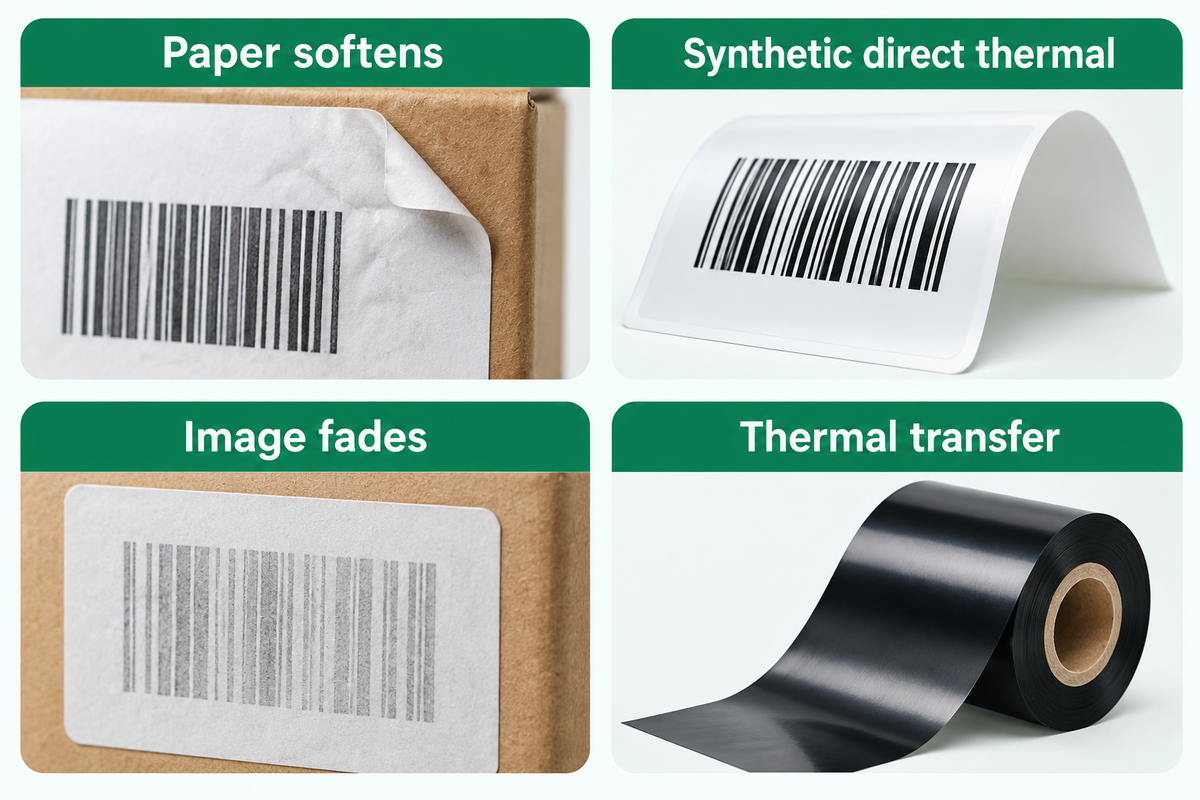
Try synthetic direct thermal media when the paper itself tears, softens, or wrinkles and the process needs to remain ribbon free. Try a matched thermal transfer label and ribbon when the substrate stays sound but the heat sensitive image fades or darkens prior to the last scan. Adhesive lifts require a separate bond test.
The National Archives guidance on thermal paper distinguishes between the darkening of the paper and fading of the information. In a label trial, compare exposed samples with their controls to decide if you need to change the paper, adhesive or the printing method.
For a synthetic roll, check support on the direct thermal printer and redo the complete exposure. For either paper or film, check the printer sensor can detect the gap between labels. For a transfer roll, test the approved facestock and compatible ribbon together on a thermal transfer printer. Wax and resin ribbons transfer their own image to the face. For a long-lasting identification label, ask the supplier to give you the supported combination for the polyester face if you’re performing a trial. A sample with ribbon ink that smudges after contact still needs a different match. The direct thermal and thermal transfer printing comparison explains the equipment change. Keep roll storage conditions in the record as well if the failure appeared before use. The label stock shelf-life guide gives storage checks.
Compare Cost per 1,000 First-Pass Reads
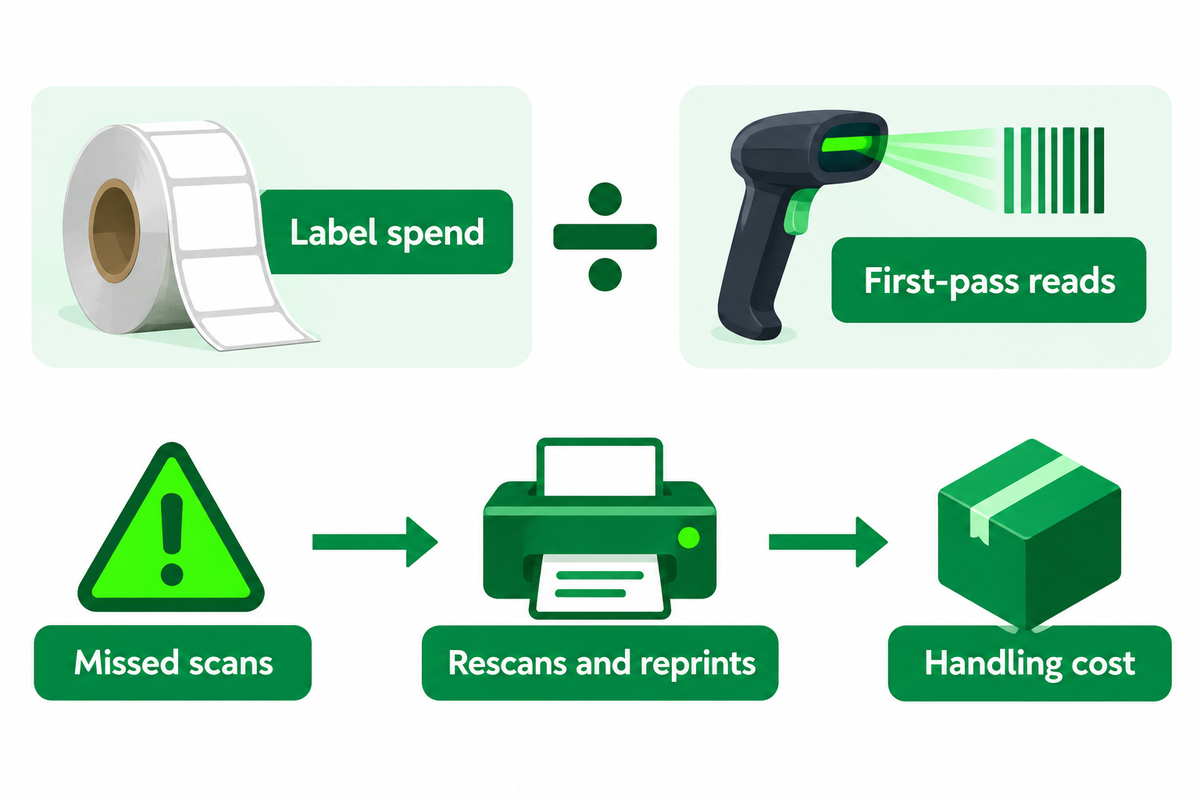
For short, dry routes, the extra topcoat is worth paying for when the cheaper label fails the scan requirement or when fewer unreadable codes save more than the added material cost. To compare quotes on the same basis, divide the label spending for each trial by the number of successful first-pass reads in that trial and multiply by 1,000. Add handling cost separately if missed scans cause rescans, reprints or sorting. Compare worksheet results only after both candidates satisfy the minimum scan and adhesion requirements you set for that route.
Take a hypothetical run of 1,000 printed labels per candidate. Economy stock costs $22 and reads on the first pass 960 times. Top-coated stock costs $26 and reads 995 times. If an exception takes $0.20 to handle, the handling costs are $8 and $1 for those runs. For top-coated stock in the example, (26 + 1) ÷ 995 × 1,000 = 27.14 USD per 1,000 first-pass reads. Use the same route, scanner and exception definition to collect your data.
| Input or result | Non-top-coated example | Top-coated example |
|---|---|---|
| Labels printed | 1,000 | 1,000 |
| Label spend | $22 | $26 |
| Distinct labels read on first pass | 960 | 995 |
| Exceptions | 40 | 5 |
| Handling at $0.20 per exception | $8 | $1 |
| Label spend per 1,000 first-pass reads | $22.92 | $26.13 |
| Label spend plus handling per 1,000 first-pass reads | $31.25 | $27.14 |
In this example, top-coated stock costs less per successful read once handling is included. A cost-effective label for your route satisfies the acceptance criteria and keeps the total cost down. You can run this comparison on your own line by timing the rescan or reprint activity and using your actual unit costs. Keep the quote, observed scan counts and the estimate of handling together so a buyer can see which input changed the decision.
Request the Exact Guanma Stock for the Trial
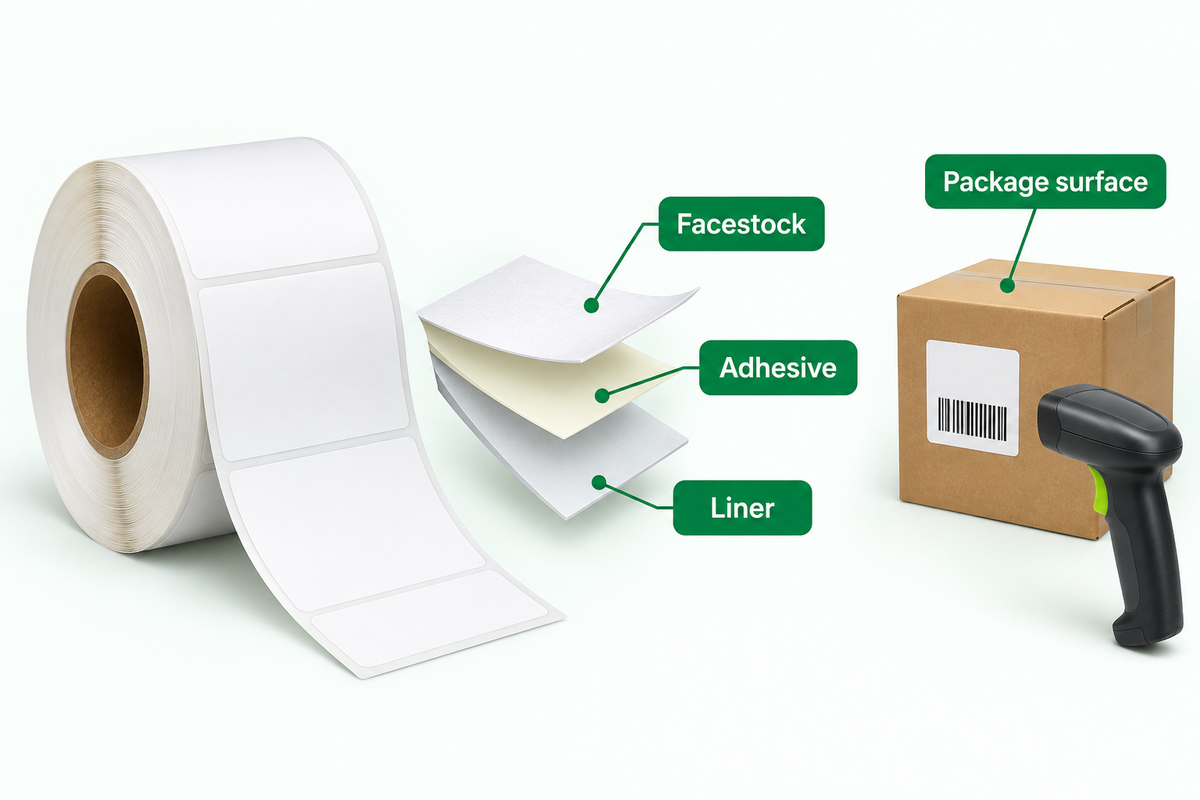
Guanma lists DT-Eco with a 60-80 gsm typical paper facestock and DT-Premium with a 65-80 gsm typical paper facestock. DT-Eco doesn’t have a protective topcoat. DT-Premium does. The overlapping paper weights make the grade code and topcoat field more useful than weight for identifying the candidate.
Open Guanma’s direct thermal paper grade table for the stock categories, then request the exact facestock, adhesive and liner as a set. Include the package surface and how you apply the label. For paper versus film options, use the self-adhesive paper and label stock overview as the starting point.
- Send media width, core, wind direction, printer model, and planned print speed.
- Describe the real wetting, oil contact or handling, and state when the last scan happens.
- Specify the required barcode and bond acceptance, and request sample rolls of the constructions offered.
- Request the exact grade data sheet and a record of the tested lot for the approved grade.
Frequently Asked Questions
Are non-top-coated thermal labels still coated?
Yes. Direct thermal paper has an imaging layer that darkens when the printhead applies heat. Non-top-coated stock lacks the separate protective layer over that imaging chemistry. On a quote, ask for the direct thermal facestock code and a separate yes or no for the protective topcoat. That gives your buyer and printer operator the same definition of the grade.
Can top-coated direct thermal labels handle condensation?
A top-coated grade is a good first sample for brief condensation. Run it on the same carton through the cold-to-warm handoff. Scan the label while damp and again at the last required checkpoint, then record any edge lift. If repeated wetting softens the paper or damages the print, compare a second construction under the same route conditions.
Do I need top-coated labels for dry shipping cartons?
Start with non-top-coated direct thermal stock when the carton stays dry and the shipping code only needs to last through a short route. Put the sample through actual stacking, handling and scanning before approving the roll. If the last reader starts missing scuffed codes, test an abrasion-resistant grade using the same contact surfaces and handling sequence.
Does a thermal topcoat improve adhesion?
No. A topcoat protects the printed face. Adhesion depends on the adhesive, package surface, application temperature and dwell. For edge lift, repeat the application trial on the real surface with the specified adhesive and record the result alongside the scan check.
When should I try synthetic direct thermal instead of paper?
Trial a compatible synthetic direct thermal grade when the paper itself softens, tears or wrinkles before the final scan and you need to keep ribbon-free printing. Keep the adhesive check separate. Print the real barcode at production speed, apply it to the actual carton or tote and scan before and after the full exposure. If the film stays sound and the barcode still loses contrast, make a separate trial with thermal transfer, using a ribbon and facestock that the supplier lists as compatible. Retain the same last checkpoint so the change in printing method faces the original requirement.
Can I use the same settings for both label grades?
Set darkness for each grade using a clean baseline print. Use the same printer, barcode file and production speed. Hold each grade’s validated setting fixed across its dry and exposed samples.
How can I tell if a barcode failure comes from the coating or the adhesive?
Lifted edges around a clear barcode point to a bond or application issue. If the label is flat and the bars are scuffed or the background has darkened, compare it with the dry control. A poor dry control points to the initial print or reader setup. A clean one makes the exposure the next thing to investigate.
Choose the Roll That Reads at the Last Checkpoint
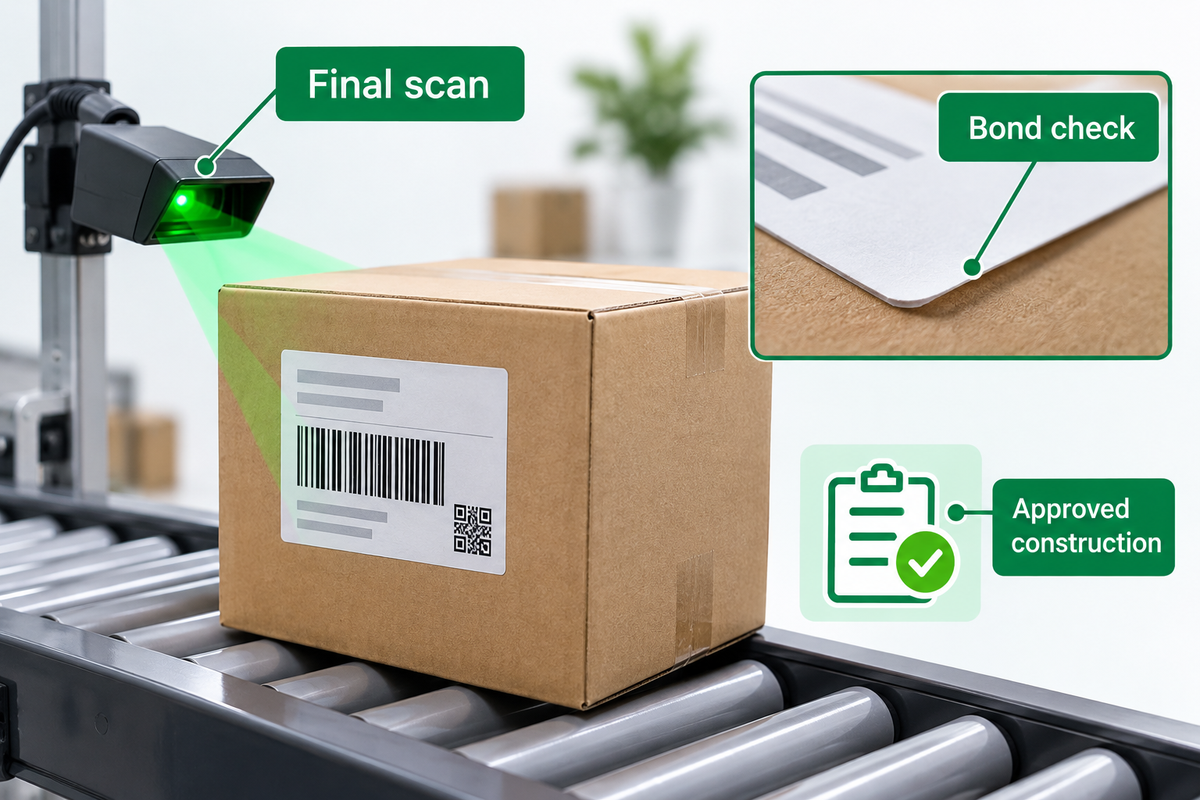
Start with the more economical construction meeting your documented scan and bond requirements. If it fails after exposure, identify whether the face, the printed image or the bond gave way. Send the route and failed sample details with your request so the next trial changes the relevant part of the stock.
Compare Guanma thermal paper samples on your line
Show your package surface, printer and exposure prior to the last scan. State the paper, adhesive and liner combinations you want compared.
References & Sources
- US patent application US20240059090A1, Figure 2 and the optional topcoat
- GS1 2D Barcodes at Retail Point-of-Sale Implementation Guideline, printing methods
- GS1 guidance on measuring the quality of printed barcodes.
- ISO/IEC 15416:2025, print quality of linear symbols
- ISO/IEC 15415:2024, print quality of two-dimensional symbols
- NIST Engineering Statistics Handbook, confidence intervals for proportions
- U.S. National Archives paper holdings guidance, thermal paper